






























































Configuring a sentiment analysis flow
As you learned earlier in the chapter, sentiment analysis provides a mechanism to evaluate content’s tone and provide an evaluation output. To address our scenario of identifying negative customer feedback, you can use a sentiment analysis flow to process messages received by the shared mailbox.
- Navigate to the Power Automate maker web portal (https://make.powerautomate.com).
- From the navigation menu, select Create.
- Under Start from blank, select Automated cloud flow.
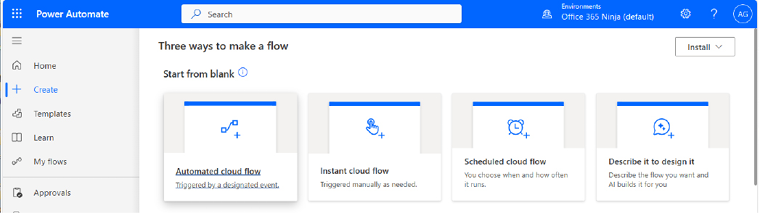
Figure 22.8 – Starting a new flow
- On the Build an automated cloud flow wizard, fill in Flow name and then select the When a new email arrives in a shared mailbox (V2) trigger. Click Create.
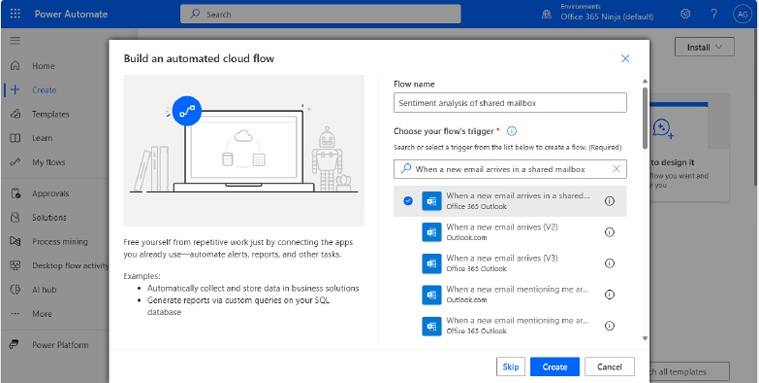
Figure 22.9 – Selecting the flow’s trigger
- In the canvas area, select the When a new email arrives in a shared mailbox (V2) trigger.
- On the flyout, in the Original Mailbox Address field,...














