






























































Working with the approval flow
If you think back through the flow, it has several steps:
- A request added to a SharePoint list
- An approval that gets triggered
- An approval response
- Updating the SharePoint list item
Let’s look at the approval from the requester’s perspective.
Starting an approval
The easiest way to testcreating” this flow is to start a vacation request. To do so, follow these steps:
- Navigate to the SharePoint list that was created as part of this exercise.
- On the list, click New to create a new request item.
- Fill out the form. Add a title, select the start and end dates, and click Save:
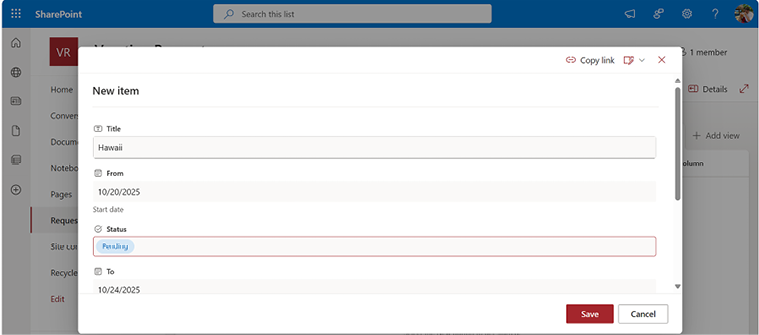
Figure 10.25 – Creating a new vacation request
- Click Save.
At this point, you have created a SharePoint list that can be used as the trigger for the approval flow, as well as the creating” approval flow itself. Finally, you triggered the flow. Next...














