






























































Configuring the browser extensions
The final piece is making sure the Selenium browser extensions are installed. This software can be used by a variety of automation platforms to help with browser-based testing and actions. Follow these steps:
- Open your browser (Chrome or Edge).
- Select the browser profile you wish to use.
- Click the browser Extensions icon to navigate to the browser’s extension store.
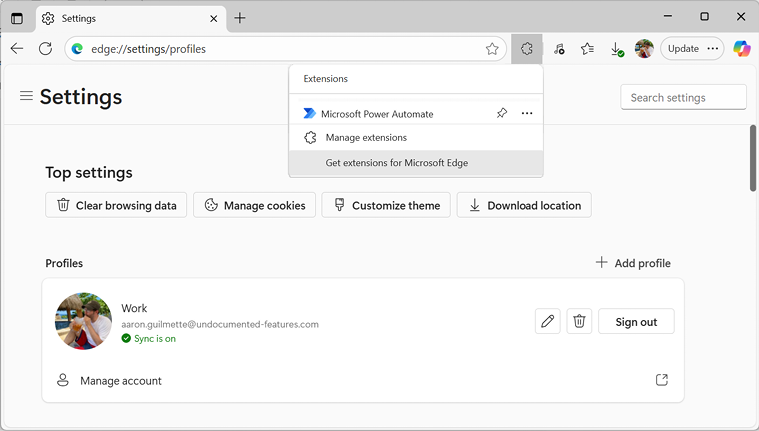
Figure 18.10 – Launching the browser extension store
- Search for
Selenium.
Figure 18.11 – Searching for the Selenium extension
- Choose one of the available extensions.
- Click Get or Add to Chrome, depending on your browser.
Figure 18.12 – Installing the extension
- Click Add extension to confirm installation.
You’ll want to repeat the extension installation for each browser you wish to automate (though we’ll just be focusing on Microsoft...














