Search icon CANCEL
Subscription
0
Cart icon
Your Cart (0 item)
Close icon
You have no products in your basket yet
Save more on your purchases! discount-offer-chevron-icon
Savings automatically calculated. No voucher code required.
Arrow left icon
Explore Products
Best Sellers
New Releases
Books
Videos
Audiobooks
Learning Hub
Newsletter Hub
Free Learning
Arrow right icon
timer SALE ENDS IN
0 Days
:
00 Hours
:
00 Minutes
:
00 Seconds
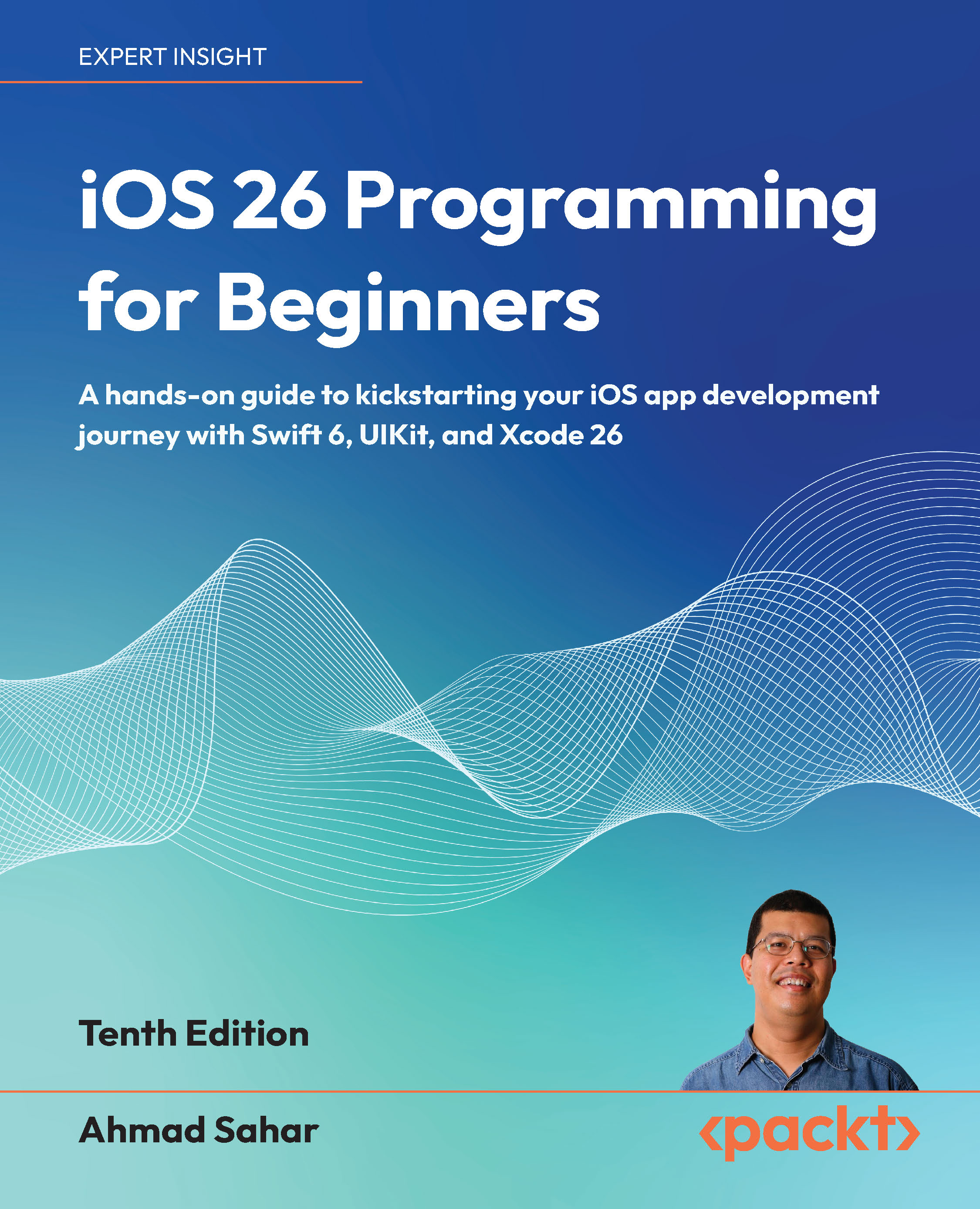
iOS 26 Programming for Beginners

iOS 26 Programming for Beginners: A hands-on guide to kickstarting your iOS app development journey with Swift 6, UIKit, and Xcode 26 , Tenth Edition

Arrow left icon
Profile Icon Ahmad Sahar
Arrow right icon
Free Trial
Paperback Nov 2025 634 pages 10th Edition
eBook
Mex$180 Mex$738.99
Paperback
Mex$922.99
Subscription
Free Trial
Arrow left icon
Profile Icon Ahmad Sahar
Arrow right icon
Free Trial
Paperback Nov 2025 634 pages 10th Edition
eBook
Mex$180 Mex$738.99
Paperback
Mex$922.99
Subscription
Free Trial
eBook
Mex$180 Mex$738.99
Paperback
Mex$922.99
Subscription
Free Trial

What do you get with a Packt Subscription?

Free for first 7 days. $19.99 p/m after that. Cancel any time!
Product feature icon Unlimited ad-free access to the largest independent learning library in tech. Access this title and thousands more!
Product feature icon 50+ new titles added per month, including many first-to-market concepts and exclusive early access to books as they are being written.
Product feature icon Innovative learning tools, including AI book assistants, code context explainers, and text-to-speech.
Product feature icon Thousands of reference materials covering every tech concept you need to stay up to date.
Subscribe now
View plans & pricing
Table of content icon View table of contents Preview book icon Preview Book

iOS 26 Programming for Beginners

Hello, Xcode

Welcome to iOS 26 Programming for Beginners. I hope this book serves as a useful introduction to creating and publishing iOS 26 apps on the App Store.

In this chapter, you’ll download and install Xcode on your Mac. Then, you’ll explore the Xcode user interface. After that, you’ll create your first iOS app and run it in Simulator. Finally, you’ll run your app on an iOS device.

By the end of this chapter, you will know how to create an iOS app, how to run it in Simulator, and how to run it on an iOS device.

The following topics will be covered in this chapter:

  • Downloading and installing Xcode from the App Store
  • Exploring the Xcode user interface
  • Running your app in Simulator
  • Running your app on an iOS device

Join our Community on Discord!

A qr code with a orange square AI-generated content may be incorrect.

https://packt.link/LdIDT/

Welcome to iOS 26 Programming for Beginners. I hope this book serves as a useful introduction to creating and publishing iOS 26 apps on the App Store.In this chapter, you’ll download and install Xcode on your Mac. Then, you’ll explore the Xcode user interface. After that, you’ll create your first iOS app and run it in Simulator. Finally, you’ll run your app on an iOS device.By the end of this chapter, you will know how to create an iOS app, how to run it in Simulator, and how to run it on an iOS device.The following topics will be covered in this chapter:

  • Downloading and installing Xcode from the App Store
  • Exploring the Xcode user interface
  • Running your app in Simulator
  • Running your app on an iOS device

Technical requirements

To do the exercises for this chapter, you will need the following:

  • An Apple Mac computer running macOS 15 Sequoia or macOS Tahoe 26
  • An Apple account (if you don’t have one, you will create one in this chapter)
  • Optionally, an iOS device running iOS 26

The Xcode project for this chapter is in the Chapter01 folder of the code bundle for this book, which can be downloaded here:https://github.com/PacktPublishing/-iOS-26-Programming-for-Beginners-10EYou’ll start by downloading Xcode, Apple’s integrated development environment (IDE) for developing iOS apps from the App Store, in the next section.

The total size of the download is very large (13 GB at the time of writing), so it may take a while to download. Ensure that you have enough disk space prior to downloading.

Downloading and installing Xcode from the App Store

Xcode is Apple’s IDE for developing macOS, iOS, iPadOS, watchOS, tvOS, and visionOS apps. You’ll need to download and install Xcode on your Mac prior to writing your first app. Follow these steps:

  1. On your Mac, choose App Store from the Apple menu.
  2. In the search field in the top-right corner, type xcode and press the Return key.
  3. You’ll see Xcode in the search results. Click Get and then click Install.
  4. If you have an Apple account, type it in the text field and enter your password when prompted. If you don’t have one, click Create Apple Account and follow the step-by-step instructions to create one:

    Figure 1.1: Apple account creation dialog box

    You can see more information on how to create an Apple account using this link: https://support.apple.com/en-us/108647#appstore.

  5. Once Xcode has been installed, launch it. You’ll see a license agreement screen. Click Agree:

    Figure 1.2: License agreement screen

Exploring the Xcode user interface

You’ve just created your first Xcode project! As you can see, the Xcode user interface is divided into several distinct parts, as shown here:

Figure 1.11: Xcode user interface

Let’s look at each part in more detail. The following descriptions correspond to the numbers shown in the preceding screenshot:

  • Toolbar (1): Used to build and run your apps and view the progress of running tasks.
  • Navigator area (2): Provides quick access to the various parts of your project. The Project navigator is displayed by default.
  • Editor area (3): Allows you to edit source code, user interfaces, and other resources.
  • Inspector area (4): Allows you to view and edit information about items selected in the Navigator or Editor areas.
  • Debug area (5): Contains the debug bar, the variables view, and the console. The Debug area is toggled by pressing Shift + Command + Y.

Next, let’s examine the toolbar more closely. The left side of the toolbar is shown here...

Running your app in Simulator

Simulator is downloaded and installed after you install Xcode. It provides a simulated iOS device so that you can see what your app looks like and how it behaves, without needing a physical iOS device. It can model all screen sizes and resolutions for both iPad and iPhone, so you can test your app on multiple devices easily.To run your app in Simulator, follow these steps:

  1. Click the Destination pop-up menu to view a list of simulated devices. Choose iPhone 16e from this menu:

    Figure 1.14: Xcode Destination pop-up menu with iPhone 16e selected

    In your own projects, you can choose any simulator you like. That said, if you want to match the screenshots in this book exactly, use the iPhone 16e simulator.

  2. Click the Run button to install and run your app on the currently selected simulator. You can also use the Command + R keyboard shortcut.
  3. Simulator will launch and show a representation of an iPhone 16e running your app. Your app will display a white screen...

Running your app on an iOS device

Although you’ll be able to go through most of the exercises in this book using Simulator, it is recommended to build and test your apps on an actual iOS device, as Simulator will not be able to simulate some hardware components and software APIs.

For a comprehensive look at all the differences between Simulator and an actual device, see this link: https://help.apple.com/simulator/mac/current/#/devb0244142d.

In addition to your device, you’ll need an Apple account (used to automatically create a free Apple developer account) or a paid Apple developer account to build and run your app on your device. You can use the same Apple account that you used to download Xcode from the App Store. To run your app on an iOS device, follow these steps:

  1. Use the cable that came with your iOS device to connect your device to your Mac, and make sure the iOS device is unlocked.
  2. Your Mac will display an Allow Accessory to Connect alert. Click Allow.
  3. Your iOS...

Summary

In this chapter, you learned how to download and install Xcode on your Mac. Then, you familiarized yourself with the different parts of the Xcode user interface. After that, you created your first iOS app, selected a simulated iOS device, and built and ran the app in Simulator. Finally, you learned how to connect an iOS device to Xcode via USB so that you can run your app on it.In the next chapter, we’ll start exploring the Swift language using Swift Playgrounds and learn how simple values and types are implemented in Swift.

Left arrow icon Right arrow icon
Download code icon Download Code

Key benefits

  • Have fun building your first iOS app and start your iOS programming career
  • Learn to integrate Apple Intelligence and the sleek new Liquid Glass UI for modern app experiences
  • Establish a solid foundation with UIKit, testing, and deployment best practices

Description

iOS 26 Programming for Beginners returns in its 10th edition, fully updated to reflect Apple’s latest innovations in app development. Perfect for complete newcomers as well as those transitioning from other platforms, this practical guide walks you through every step of building your first iOS app using Swift 6 and Xcode 26. Following a project-based approach, you’ll create a feature-rich journal app while mastering UIKit fundamentals, including storyboards, navigation, data persistence, media integration, and map-based features. Each chapter builds on the last with clear explanations, step-by-step instructions, and real-world examples that reinforce your learning. Along the way, you’ll enhance your app with Apple Intelligence, Apple’s on-device AI platform, to deliver smart, personalized user experiences. You’ll also leverage the elegant Liquid Glass UI design system introduced in iOS 26, to give your app a modern and immersive feel. By the end of this book, you’ll have built and deployed a complete iOS app and gained the essential skills to pursue a career in mobile development.

Who is this book for?

This iOS programming book is for beginners with minimal coding experience who want to enter the world of Swift programming and iOS app development. A basic understanding of programming concepts is all you need to get started.

What you will learn

  • Install and configure Xcode 26 for iOS development
  • Build intuitive user interfaces using UIKit and Auto Layout
  • Handle JSON data and persistent storage
  • Integrate Core Location and MapKit for GPS features
  • Enhance app features with Apple Intelligence
  • Apply the new Liquid Glass UI for visual polish
  • Submit and deploy your app to the App Store

Product Details

Country selected
Publication date, Length, Edition, Language, ISBN-13
Publication date : Nov 27, 2025
Length: 634 pages
Edition : 10th
Language : English
ISBN-13 : 9781806023936
Category :
Languages :
Tools :

What do you get with a Packt Subscription?

Free for first 7 days. $19.99 p/m after that. Cancel any time!
Product feature icon Unlimited ad-free access to the largest independent learning library in tech. Access this title and thousands more!
Product feature icon 50+ new titles added per month, including many first-to-market concepts and exclusive early access to books as they are being written.
Product feature icon Innovative learning tools, including AI book assistants, code context explainers, and text-to-speech.
Product feature icon Thousands of reference materials covering every tech concept you need to stay up to date.
Subscribe now
View plans & pricing

Product Details

Publication date : Nov 27, 2025
Length: 634 pages
Edition : 10th
Language : English
ISBN-13 : 9781806023936
Category :
Languages :
Tools :

Packt Subscriptions

See our plans and pricing
Modal Close icon
$19.99 billed monthly
Feature tick icon Unlimited access to Packt's library of 7,000+ practical books and videos
Feature tick icon Constantly refreshed with 50+ new titles a month
Feature tick icon Exclusive Early access to books as they're written
Feature tick icon Solve problems while you work with advanced search and reference features
Feature tick icon Offline reading on the mobile app
Feature tick icon Simple pricing, no contract
$199.99 billed annually
Feature tick icon Unlimited access to Packt's library of 7,000+ practical books and videos
Feature tick icon Constantly refreshed with 50+ new titles a month
Feature tick icon Exclusive Early access to books as they're written
Feature tick icon Solve problems while you work with advanced search and reference features
Feature tick icon Offline reading on the mobile app
Feature tick icon Choose a DRM-free eBook or Video every month to keep
Feature tick icon PLUS own as many other DRM-free eBooks or Videos as you like for just Mex$85 each
Feature tick icon Exclusive print discounts
$279.99 billed in 18 months
Feature tick icon Unlimited access to Packt's library of 7,000+ practical books and videos
Feature tick icon Constantly refreshed with 50+ new titles a month
Feature tick icon Exclusive Early access to books as they're written
Feature tick icon Solve problems while you work with advanced search and reference features
Feature tick icon Offline reading on the mobile app
Feature tick icon Choose a DRM-free eBook or Video every month to keep
Feature tick icon PLUS own as many other DRM-free eBooks or Videos as you like for just Mex$85 each
Feature tick icon Exclusive print discounts

Table of Contents

34 Chapters
Swift Chevron down icon Chevron up icon
Hello, Xcode Chevron down icon Chevron up icon
Simple Values and Types Chevron down icon Chevron up icon
Conditionals and Optionals Chevron down icon Chevron up icon
Range Operators and Loops Chevron down icon Chevron up icon
Collection Types Chevron down icon Chevron up icon
Functions and Closures Chevron down icon Chevron up icon
Classes, Structures, and Enumerations Chevron down icon Chevron up icon
Protocols, Extensions, and Error Handling Chevron down icon Chevron up icon
Swift Concurrency Chevron down icon Chevron up icon
Design Chevron down icon Chevron up icon
Set Up the User Interface Chevron down icon Chevron up icon
Build the User Interface Chevron down icon Chevron up icon
Complete the User Interface Chevron down icon Chevron up icon
Modify App Screens Chevron down icon Chevron up icon
Code Chevron down icon Chevron up icon
MVC and Table Views Chevron down icon Chevron up icon
Get Data into Table Views Chevron down icon Chevron up icon
Pass Data Between View Controllers Chevron down icon Chevron up icon
Core Location and MapKit Chevron down icon Chevron up icon
JSON Files Chevron down icon Chevron up icon
Custom Views Chevron down icon Chevron up icon
Camera and Photo Library Chevron down icon Chevron up icon
Search Chevron down icon Chevron up icon
Collection Views Chevron down icon Chevron up icon
Features Chevron down icon Chevron up icon
Adopt Liquid Glass Chevron down icon Chevron up icon
Icon Composer Chevron down icon Chevron up icon
Apple Intelligence Chevron down icon Chevron up icon
Foundation Models Chevron down icon Chevron up icon
Test and Submit Your App to the App Store Chevron down icon Chevron up icon
Unlock Your Exclusive Benefits Chevron down icon Chevron up icon
Other Books You May Enjoy Chevron down icon Chevron up icon
Index Chevron down icon Chevron up icon
Get free access to Packt library with over 7500+ books and video courses for 7 days!
Start Free Trial

FAQs

What is included in a Packt subscription? Chevron down icon Chevron up icon

A subscription provides you with full access to view all Packt and licnesed content online, this includes exclusive access to Early Access titles. Depending on the tier chosen you can also earn credits and discounts to use for owning content

How can I cancel my subscription? Chevron down icon Chevron up icon

To cancel your subscription with us simply go to the account page - found in the top right of the page or at https://subscription.packtpub.com/my-account/subscription - From here you will see the ‘cancel subscription’ button in the grey box with your subscription information in.

What are credits? Chevron down icon Chevron up icon

Credits can be earned from reading 40 section of any title within the payment cycle - a month starting from the day of subscription payment. You also earn a Credit every month if you subscribe to our annual or 18 month plans. Credits can be used to buy books DRM free, the same way that you would pay for a book. Your credits can be found in the subscription homepage - subscription.packtpub.com - clicking on ‘the my’ library dropdown and selecting ‘credits’.

What happens if an Early Access Course is cancelled? Chevron down icon Chevron up icon

Projects are rarely cancelled, but sometimes it's unavoidable. If an Early Access course is cancelled or excessively delayed, you can exchange your purchase for another course. For further details, please contact us here.

Where can I send feedback about an Early Access title? Chevron down icon Chevron up icon

If you have any feedback about the product you're reading, or Early Access in general, then please fill out a contact form here and we'll make sure the feedback gets to the right team. 

Can I download the code files for Early Access titles? Chevron down icon Chevron up icon

We try to ensure that all books in Early Access have code available to use, download, and fork on GitHub. This helps us be more agile in the development of the book, and helps keep the often changing code base of new versions and new technologies as up to date as possible. Unfortunately, however, there will be rare cases when it is not possible for us to have downloadable code samples available until publication.

When we publish the book, the code files will also be available to download from the Packt website.

How accurate is the publication date? Chevron down icon Chevron up icon

The publication date is as accurate as we can be at any point in the project. Unfortunately, delays can happen. Often those delays are out of our control, such as changes to the technology code base or delays in the tech release. We do our best to give you an accurate estimate of the publication date at any given time, and as more chapters are delivered, the more accurate the delivery date will become.

How will I know when new chapters are ready? Chevron down icon Chevron up icon

We'll let you know every time there has been an update to a course that you've bought in Early Access. You'll get an email to let you know there has been a new chapter, or a change to a previous chapter. The new chapters are automatically added to your account, so you can also check back there any time you're ready and download or read them online.

I am a Packt subscriber, do I get Early Access? Chevron down icon Chevron up icon

Yes, all Early Access content is fully available through your subscription. You will need to have a paid for or active trial subscription in order to access all titles.

How is Early Access delivered? Chevron down icon Chevron up icon

Early Access is currently only available as a PDF or through our online reader. As we make changes or add new chapters, the files in your Packt account will be updated so you can download them again or view them online immediately.

How do I buy Early Access content? Chevron down icon Chevron up icon

Early Access is a way of us getting our content to you quicker, but the method of buying the Early Access course is still the same. Just find the course you want to buy, go through the check-out steps, and you’ll get a confirmation email from us with information and a link to the relevant Early Access courses.

What is Early Access? Chevron down icon Chevron up icon

Keeping up to date with the latest technology is difficult; new versions, new frameworks, new techniques. This feature gives you a head-start to our content, as it's being created. With Early Access you'll receive each chapter as it's written, and get regular updates throughout the product's development, as well as the final course as soon as it's ready.We created Early Access as a means of giving you the information you need, as soon as it's available. As we go through the process of developing a course, 99% of it can be ready but we can't publish until that last 1% falls in to place. Early Access helps to unlock the potential of our content early, to help you start your learning when you need it most. You not only get access to every chapter as it's delivered, edited, and updated, but you'll also get the finalized, DRM-free product to download in any format you want when it's published. As a member of Packt, you'll also be eligible for our exclusive offers, including a free course every day, and discounts on new and popular titles.

Modal Close icon
Modal Close icon