






























































Creating a basic form
The Forms application is relatively straightforward to use. In this section, we’ll create a basic form to collect user information. To create the form, follow these steps:
- Launch the Forms application by navigating to https://forms.office.com and signing in.
- If this is your first time signing in to Forms, click the Create a new form button on the splash page. If you’ve logged in to Forms previously, you can click the New Form button on the dashboard, as shown in Figure 14.1:
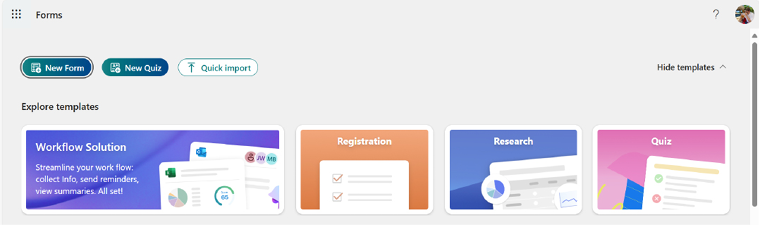
Figure 14.1 – Microsoft Forms splash page
- Click the title area (Untitled form) text box and enter a name for the form, such as
Customer Data Intake, as shown in Figure 14.2:
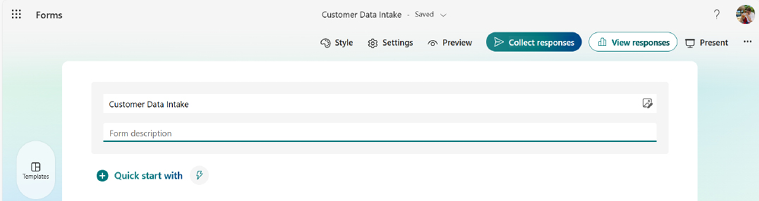
Figure 14.2 – Adding a title to the form
- Click + to add a new item.
- Select the Text option:
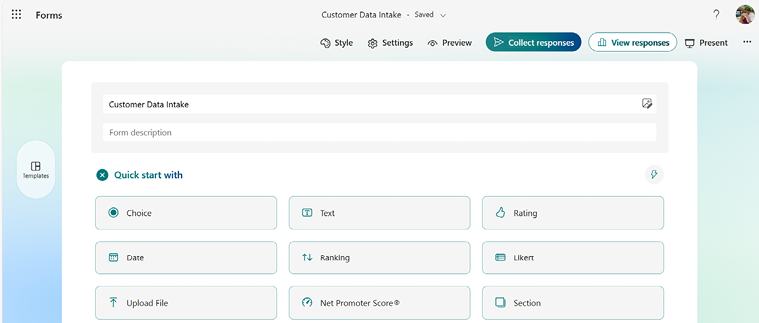
Figure 14.3 – Selecting the Text data type
- Enter the value of
CompanyName. You can enter something...














