

Linking states and animations
We start with the connections between the three states (idle, walk, and run), and map the corresponding model animation clips to these three states. The IdleWalkRunBlending struct and the msIWRBlendings member variable in the ModelSettings struct are already in place, so we only have to take care of the UI.
Mapping idle/walk/run animations
Figure 7.1 shows the mapping section of the Control window for the three states: idle, walk, and run:
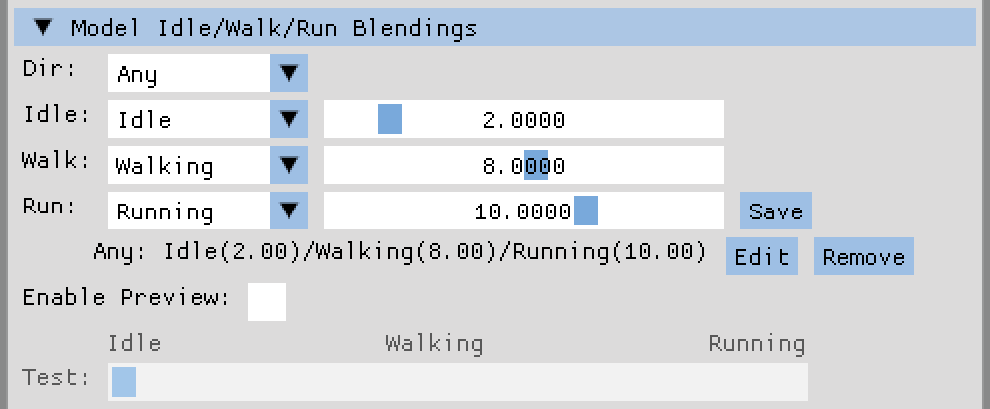
Figure 7.1: Mapping between move direction, move state, and animation clip
We will step through the control elements from top to bottom and explore the new code in the createSettingsWindow() method of the UserInterface class:
- The Dir combo box shows the names of the available entries of the
moveDirectionenumclass. The combo box is filled by using themicMoveDirectionMapmap from theModelInstanceCamDatastruct. We store the selected entry in astaticmoveDirectiontype variable to retain...