






























































Verifying the flow
The final step is going to be reviewing the email that was sent. To do so, log in to the mailbox that was used as the recipient for the Send an email (V2) action and look for the message:
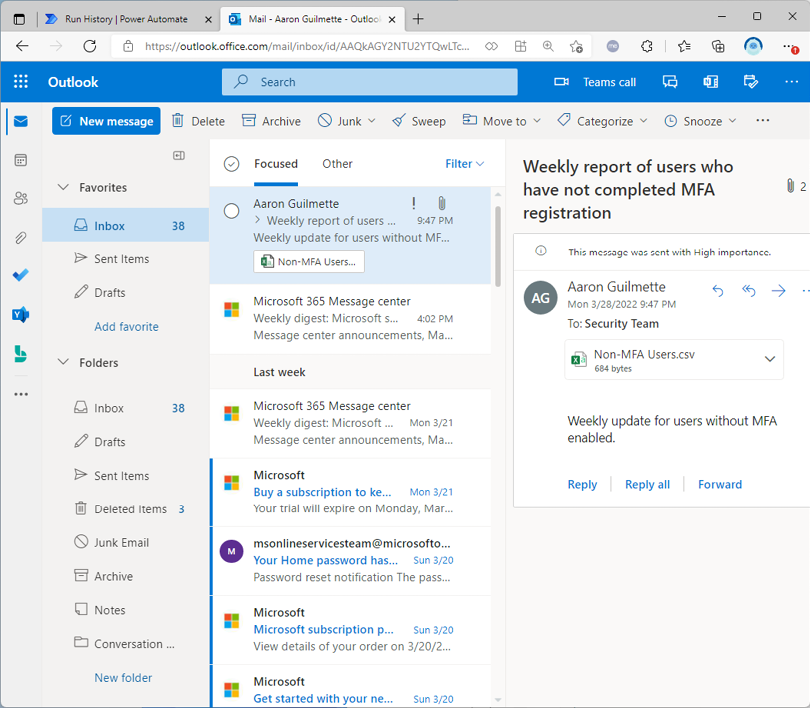
Figure 17.29 – Reviewing the email message with the attached report
You can open the attachment and view the details, as shown in Figure 17.30:
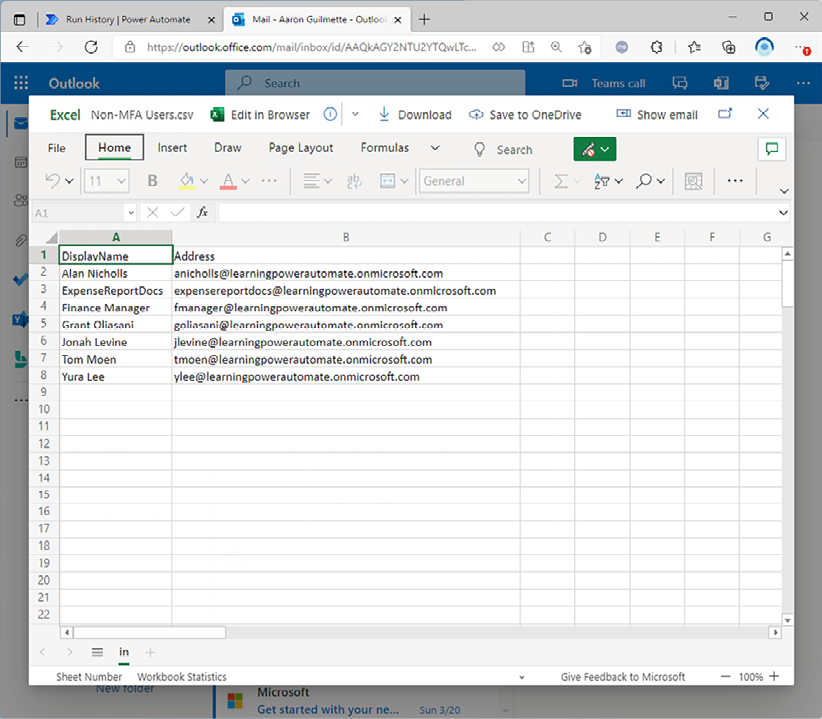
Figure 17.30 – Examining the attachment
If everything worked correctly, you should have a report that includes all users in your Microsoft 365 tenant who do not have MFA enabled.












